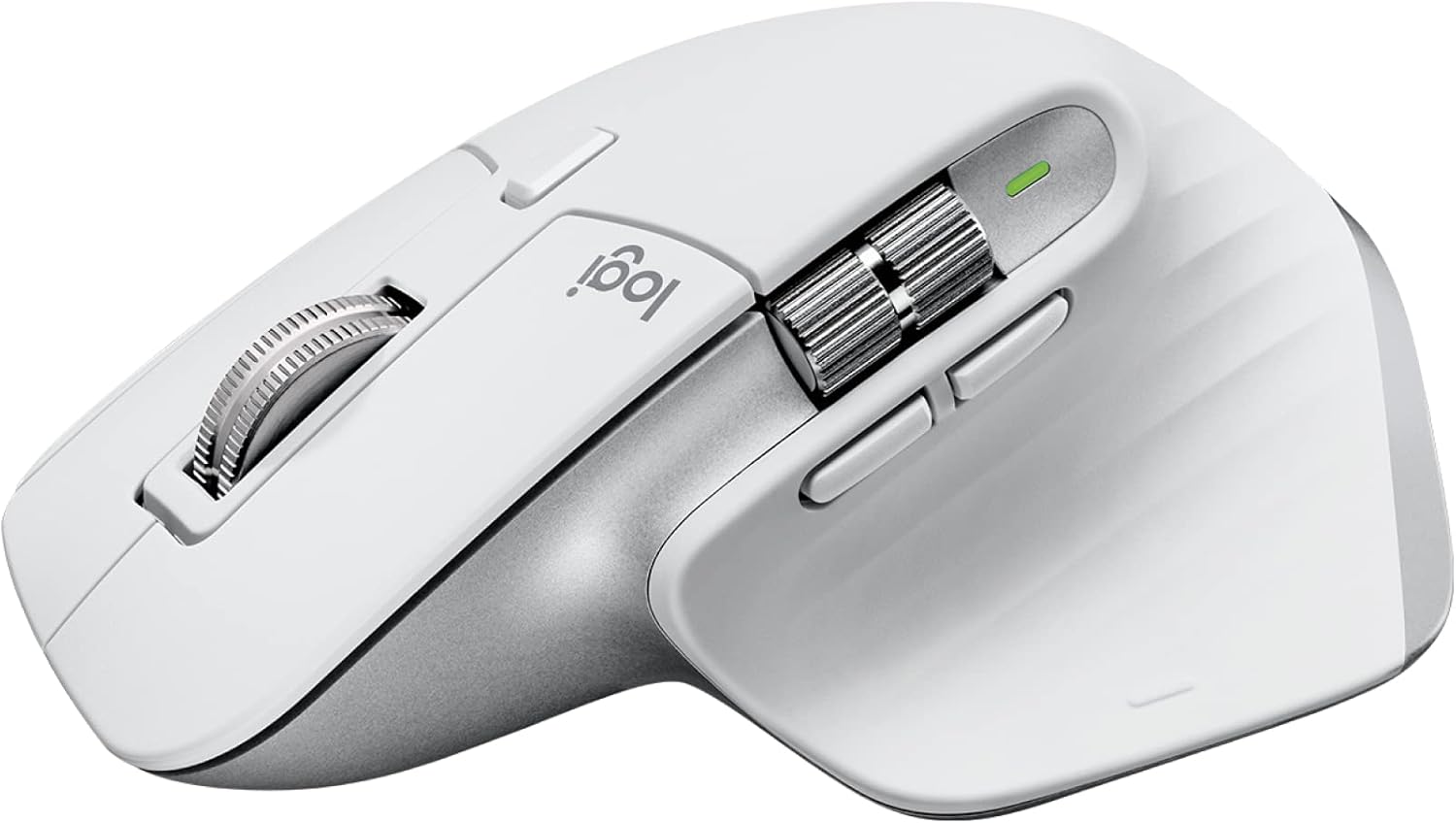
Logitech MX Master 3S — manufacturer/retailer product photo.
FutureFavs Review
The best productivity mouse you can buy in 2026 — near-silent clicks, 8K DPI, and Flow multi-device magic
Logitech MX Master 3S — manufacturer/retailer product photo.
Listen to the verdict
The Logitech MX Master 3S is the definitive productivity mouse for power users. Its MagSpeed electromagnetic scroll wheel, near-silent 90% quieter clicks, and cross-computer Flow software make it the go-to choice for writers, developers, and creative professionals who spend 8+ hours at a desk. At €99 it's not cheap, but the ergonomic design and workflow gains justify every cent — it's our number-one pick in the best wireless mouse for productivity guide, and pairs over Flow with the Logitech MX Keys keyboard.
Buy on Amazon →| Feature | Logitech MX Master 3S | Alt 1 | Alt 2 |
|---|---|---|---|
| Price | €99 | €149 | €69 |
| DPI | 8,000 | 7,200 | 16,000 |
| Scroll wheel | MagSpeed electromagnetic | Standard + hyper-fast | Standard detent |
| Silent clicks | Yes — 90% quieter | No | No |
| Battery life | 70 days USB-C | 90 days USB-A | 70 hours USB-C |
| Multi-device | 3 devices + Flow | 3 devices | 2 devices |
| Left-handed | No | No | No |
| Works on glass | Yes | No | Yes |
| Thumb wheel | Yes (horizontal scroll) | No | No |
| Weight | 141g | 135g | 132g |
The MagSpeed scroll wheel is the MX Master 3S's defining feature and the reason most power users buy it. Unlike traditional scroll wheels with physical detents, MagSpeed uses electromagnetic resistance — letting you switch between precise click-to-click mode (for line-by-line navigation) and frictionless hyper-fast mode (for flying through 1,000-row spreadsheets in under a second). The transition is automatic: scroll slowly and it clicks; scroll fast and it goes frictionless — a mechanism that's genuinely unusual in the scroll-wheel category and the main reason this mouse is positioned for long documents and large spreadsheets. The wheel is also near-silent, matching the quieter main buttons.
Logitech Flow is software magic that lets the MX Master 3S control up to 3 computers simultaneously — you simply move the cursor to the edge of one screen and it jumps to the next machine. More impressively, it supports cross-computer copy-paste: copy text or an image on your Windows PC, move to your MacBook, and paste. This is transformative for users who run a laptop alongside a desktop or who switch between personal and work machines. Setup takes about 5 minutes via Logi Options+ software. Flow works over both Bluetooth and the USB receiver (Logi Bolt), meaning it functions even without a shared network.
The MX Master 3S follows the same sculpted right-hand-only form factor as its predecessors, with a natural arch that supports the palm and a dedicated thumb rest. The silicone thumb grip provides purchase without becoming sticky over time. At 141g it has a satisfying heft without causing fatigue. The near-silent main buttons use a redesigned switch mechanism that Logitech rates as reducing click noise by 90% compared to the MX Master 3 while maintaining the same tactile feedback — a meaningful spec for anyone in an open-plan office. The side thumb wheel adds horizontal scrolling in spreadsheets and timeline scrubbing in video editors, a feature that sounds gimmicky on paper but is a genuinely useful shortcut once it's mapped to a workflow.
The new 8,000 DPI sensor is rated by Logitech to track on glass desks and virtually all surfaces — an upgrade over the 4,000 DPI sensor in the MX Master 3. For most productivity users the DPI ceiling matters less than tracking consistency across surfaces, which is the sensor's actual selling point over its predecessor. Battery life is rated at 70 days on a full charge via USB-C, with a 5-minute USB-C charge good for 3 hours of use in an emergency, per Logitech's spec. The mouse connects via Logi Bolt USB receiver or Bluetooth, with the Easy-Switch button toggling between up to 3 paired devices.
Logi Options+ replaces the older Options software and is a significant improvement. Button remapping is deep: every button (including the thumb wheel and gesture button) can be assigned app-specific actions. The gesture button + mouse movement combination is particularly powerful — swipe left/right to switch desktops, up to open Mission Control on Mac, down to show the desktop. You can create per-app profiles, so the thumb wheel scrubs the timeline in Premiere Pro but zooms in Excel. The software is available for macOS and Windows; Linux users can use Logitech's open-source Solaar tool for basic configuration.
Official Logitech product overview
Official Logitech demo covering MagSpeed scroll, the side thumb wheel, near-silent click switches, and Easy-Switch multi-device pairing.
Buy it if you: spend most of your day moving a cursor through documents, spreadsheets or code, and want a mouse built for hands rather than for gaming. The MagSpeed wheel earns its keep the moment you scroll a long spreadsheet or PDF, and Flow is worth the price on its own if you already split your day between two or three machines.
Skip it if you: are left-handed (there is no mirrored version of this shape), need something light enough for a laptop bag every day (141g plus a sculpted body makes this a desk mouse, not a travel one — the Microsoft Sculpt Ergonomic Mouse below is the lighter alternative if wrist angle matters more than portability), or you play games where every gram and every millisecond of click latency counts.
MX Master 3S vs the newer MX Master 4: Logitech's own MX Master 4 review is candid that the two share the same ergonomics, scrolling and tracking — the roughly €30 gap buys a haptic feedback layer and a radial Actions Ring shortcut menu, both of which only pay off if you live in the apps that support them today (Adobe Creative Cloud, video-call software). If that doesn't sound like your workflow, the 3S is the better-value buy between the two, not a compromise pick.
No longer sold on Amazon
€20 cheaper but lacks silent clicks and the improved 8K DPI sensor — still excellent if you find it on sale
View on Amazon →No longer sold on Amazon
Was better for users with wrist pain; vertical design reduces pronation, but no MagSpeed and limited software
View on Amazon →Pairs perfectly with the MX Master 3S via Flow — same Logi Bolt receiver, synchronized multi-device switching
View on Amazon →As an Amazon Associate, FutureFavs earns from qualifying purchases. Prices and availability accurate as of publish date.
Now on Kindle · $9.99
The Freelancer's AI Toolkit — 200 ChatGPT prompts for proposals, client emails & invoices.
See the book →