Speakerphone review
Anker PowerConf S3 Review — €79 of Audio That Actually Pays Off
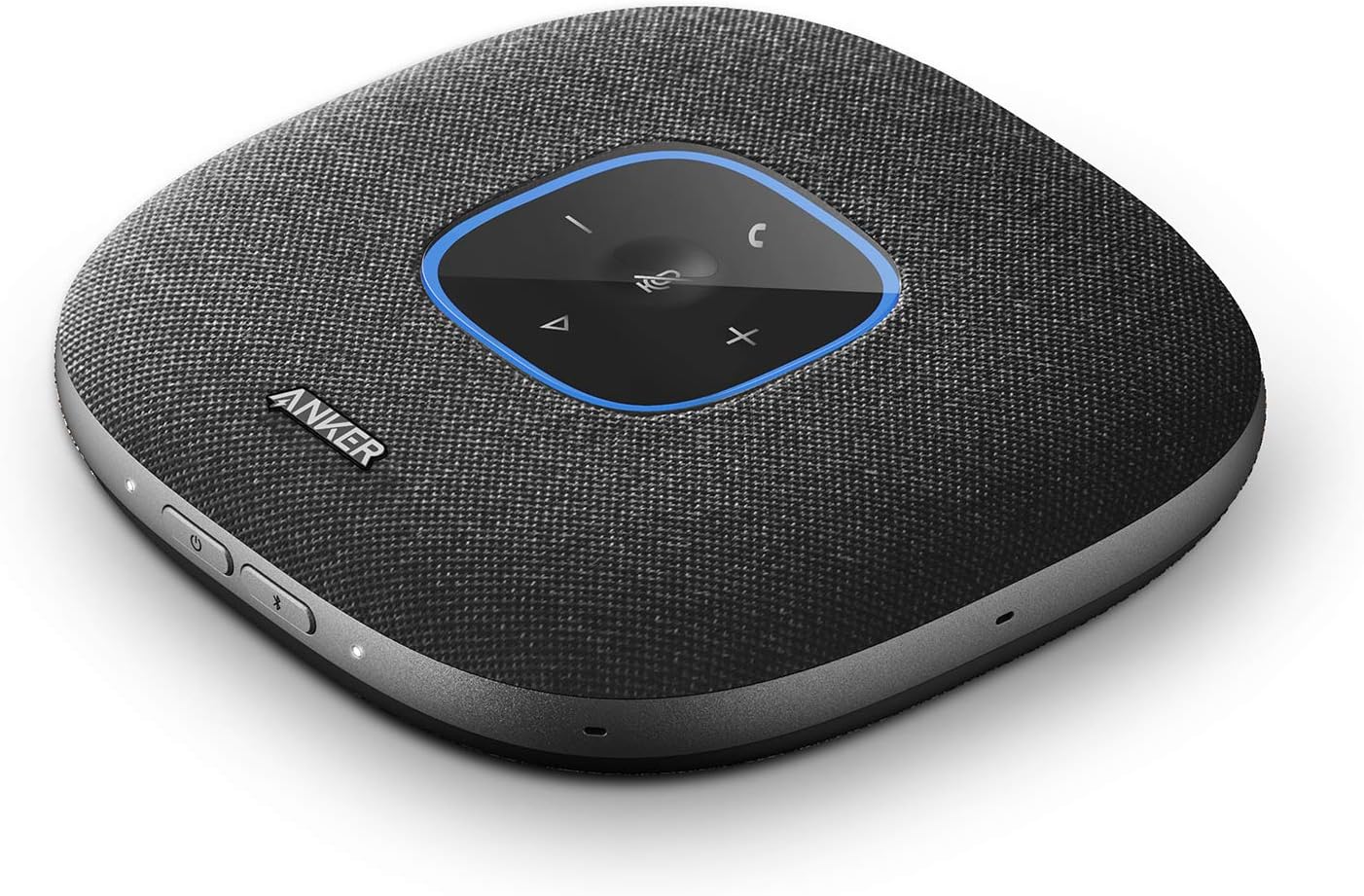
Anker PowerConf S3 Speakerphone — manufacturer/retailer product photo.
Listen to the verdict
Verdict
One of the cheapest ways to upgrade how you sound on calls. Six microphones, 360° pickup, USB-C plus Bluetooth, and enough room coverage to move around during calls rather than lean into a laptop.
What works
- Six microphones provide genuine 360° pickup
- USB-C and Bluetooth work simultaneously
- Built-in echo cancellation actually does its job
- 24-hour battery on a single charge
- Mute button on top — large, obvious, instant
- Doubles as a Bluetooth music speaker
What doesn't
- Music playback is fine but not impressive
- No AirPlay or Chromecast
- USB-C cable in the box is short (60cm)
- LED ring is too bright in dim rooms
The problem with laptop speakers and earbuds
Laptop speakers turn your voice into a tin can on the other end. Earbuds like the AirPods Pro 2 work, but they trap you in a cable or limit you to 30 minutes before your ears hurt. The PowerConf S3 fixes both: it puts your voice through six microphones positioned around the table and your peers' voices through a speaker that doesn't sound like a phone on hold.
Six microphones, 360° pickup — what that actually gets you
Anker specs the six-mic array for genuine 360° pickup rather than a single fixed-direction capsule, which is the difference that matters for a shared table: everyone around it is inside the pickup pattern instead of only whoever sits closest to the device.
If your calls are mostly solo and you want studio-grade voice rather than room coverage, a dedicated desk mic like the Blue Yeti is the better tool — the PowerConf wins when other people share the room.
USB-C vs Bluetooth — when to use which
USB-C: best audio quality, instant connection, lower battery drain. Use it when you're at the desk connected to one device.
Bluetooth 5.0: pair to two devices simultaneously (laptop + phone), no cables, slightly more compression. Use it when you switch between meetings on different devices, or when the speakerphone moves between rooms.
You can use both at the same time. The PowerConf will play audio from whichever source is sending it. That's surprisingly useful when a colleague calls your phone while you're on a laptop meeting — you can mute the laptop and pick up the call through the same device.
Watch before you buy
Anker's official product video
Anker's own promotional video for the PowerConf S3. It is manufacturer marketing, not an independent demonstration — treat the audio comparison in it accordingly.
Battery life and travel use
Anker rates the S3 at 24 hours of call time and quotes a 3-hour USB-C recharge. As with any Bluetooth speakerphone, expect less than the rated figure at higher volumes. It is small enough to slip into a backpack pocket without a case, which is the main reason to pick it over a mains-powered desk speakerphone.
Who should buy this
- You're on more than 90 minutes of calls per day
- You take calls in spaces where earbuds are awkward (kitchens, shared offices, meeting rooms)
- You want a physical mute button you can hit without alt-tabbing
- You sometimes have a colleague or partner join you on a call from your office
Which audio setup actually fits how you work
A speakerphone isn't the right answer for every calling pattern — it's the right answer for a specific one. Here's how to tell which category you're in, using the S3's own published specs rather than a generic "it depends."
Solo calls, most of the day, at one desk
If every call happens at the same desk and you're the only voice in the room, a headset or AirPods Pro 2 will out-perform any speakerphone on call clarity for the person on the other end, because a mic 2cm from your mouth beats one 30cm away every time. The S3's 6-microphone 360° array is solving a different problem: it's built for when more than one voice needs to be picked up, not for maximising a single voice's clarity.
Calls that move — kitchen, meeting room, different desk each day
This is the S3's actual strength. It's rated for 24 hours of call time on a charge and recharges via USB-C in about 3 hours, and it's small enough to go in a bag pocket without a case. A wired headset or a desk-mounted mic like the Blue Yeti can't follow you between rooms; the S3 is built to.
Calls where someone else in the room needs to be heard too
This is the one case a headset genuinely cannot solve, no matter how good it is — a headset only captures one mouth. The S3's 6-mic 360° pickup is designed exactly for this: two or three people around a table, one device, no one leaning toward a laptop mic. If this is your actual use case, the S3 is not competing with earbuds at all; it's competing with a proper conference-room unit costing several times more.
Skip the S3 if you're a single voice at a single desk all day — a €30 wired headset or your existing earbuds will sound as good or better for less money. Buy the S3 if your calls move between rooms, or more than one person in the room needs to be picked up.